

Password & Passphrase Generator
Generate secure random passwords or memorable passphrases with customizable options.
What is a passphrase — and why is it stronger than a password?
solar-bridge-timber-lamp instead of X9!kP#2m.
That sounds less secure. It isn’t.
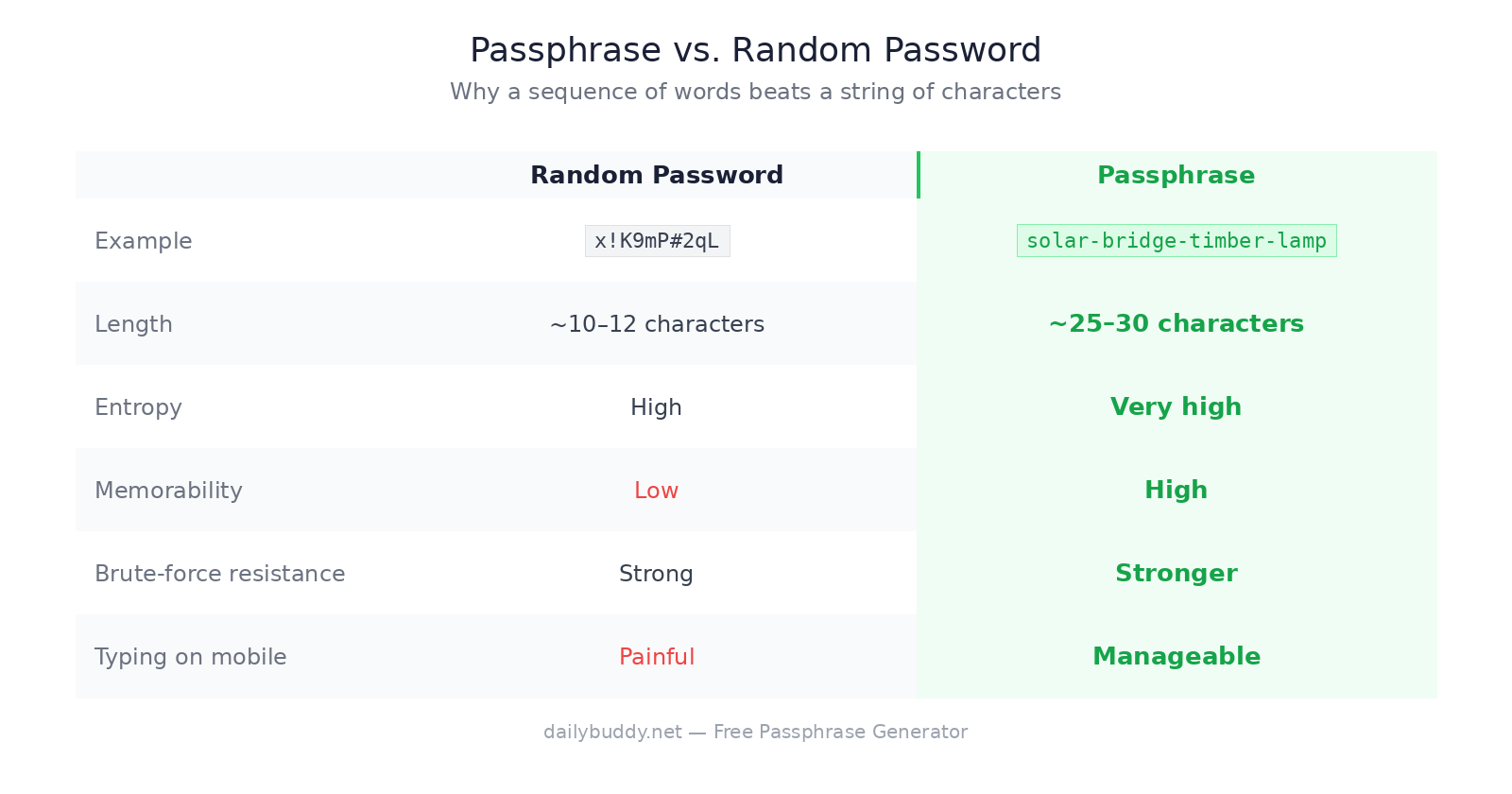
Password strength comes from entropy — the mathematical unpredictability of a string. A 4-word passphrase drawn from a large wordlist has more entropy than most complex passwords, because the number of possible word combinations is enormous. At the same time, it’s far easier for a human to remember.
The concept was formalized by security researcher Arnold Reinhold with the Diceware method in 1995 and later popularized by a well-known xkcd comic. Today it’s the recommended approach by NIST — the US National Institute of Standards and Technology — in their updated password guidelines. | Random Password | Passphrase | |
|---|---|---|
| Example | x!K9mP#2qL |
solar-bridge-timber-lamp |
| Length | ~10–12 chars | ~25–30 chars |
| Entropy | High | Very high |
| Memorability | Low | High |
| Brute-force resistance | Strong | Stronger |
| Typing on mobile | Painful | Manageable |
For most use cases — especially master passwords, SSH passphrases, or anything you need to type from memory — a passphrase wins.
How to use this free passphrase generator
The generator above creates passphrases using a cryptographically secure random source (crypto.getRandomValues) directly in your browser. Nothing is sent to a server. Nothing is logged. Nothing is stored.
You can customize:
- Number of words — 3 words is quick to type, 5+ words is extremely secure
- Separator — dash, space, dot, underscore, or none
- Capitalization — lowercase, Title Case, or UPPER
- Add a number — appends a random digit for services that require it
- Random password mode — switches to classic character-based output if needed
Hit Generate as many times as you like. Every result is independently random.
Why use a free passphrase generator instead of a password?
A 4-word passphrase from a 7,776-word wordlist has roughly 3.6 trillion possible combinations. A modern GPU cracking one billion passwords per second would need over an hour on average. At 5 words, we’re talking thousands of years.
For comparison: a random 8-character password using upper, lower, digits, and symbols has more raw combinations — but it’s nearly impossible to remember without a password manager. This is backed by the NIST password guidelines, which recommend passphrases over complex short passwords.
The practical takeaway: use passphrases for anything you need to type or memorize. Use a password manager to generate and store random passwords for everything else.
When to use a passphrase vs. a random password
Use a passphrase for:
- Password manager master password
- Full disk encryption (BitLocker, FileVault, LUKS)
- SSH key passphrases
- VPN credentials
- Anything you type on a phone or recall from memory
Use a random password for:
- Any account stored in your password manager
- API keys and tokens
- Service accounts no human ever types manually
Why "runs in your browser" matters
Most online password generators send your result through their servers. You have no way to verify what happens on their end — whether passwords are logged, stored, or tied to your IP.
This free passphrase generator runs entirely in your browser via the Web Crypto API. The result never leaves your device. There is no server request when you hit Generate — you can confirm this yourself by opening your browser’s network tab while using the tool.
It’s the same principle behind DailyBuddy’s PDF tools — no upload, no server processing, no file size limits.
Sharing passwords securely after generating them
Generating a strong passphrase is step one. Step two is getting it to the right person — without sending it in plain text over email or Slack.
DailyBuddy Send lets you share passwords and sensitive credentials via an encrypted link with an optional expiration date. The recipient opens it once, and it’s gone. No trace in anyone’s inbox, no data stored on US servers.
Passphrase generator — frequently asked questions
Yes, completely free. No account required, no usage limits, no ads.
No. Everything runs in your browser. Nothing is sent to or stored on any server.
A password is typically a short string of mixed characters. A passphrase is a sequence of random words — longer, easier to remember, and often more secure due to higher entropy.
Four words is a solid balance of security and usability for most purposes. For a master password or encryption key, use 5 or 6.
Yes — this is one of the best use cases for a passphrase. Long enough to be secure, memorable enough that you don't need to write it down.
What wordlist does this generator use? The EFF Large Wordlist, developed by the Electronic Frontier Foundation specifically for passphrase generation. It contains 7,776 common, unambiguous English words.
Since no data ever leaves your browser, nothing is collected, stored, or processed. There is nothing to protect.