Invoice Generator
Create professional invoices and download them as PDF. Free, no sign-up — 100% in your browser.
What is a free invoice generator — and who needs one?
A free invoice generator lets you create professional invoices and download them as PDF — without Word templates, without Excel workarounds, and without paying for accounting software. Fill in your details, add your line items, and download. Done.
This tool is built for freelancers, agencies, and small businesses that need to invoice clients quickly and professionally. No subscription, no account, no watermarks on the PDF.
What this free invoice generator includes
Your Company:
- Company name, street, ZIP/city
- Email and phone number
- Tax ID / VAT number
- Bank / IBAN
Bill To:
- Client name or company
- Street, ZIP/city
Invoice Details:
- Document title — Invoice, Quote, or custom
- Invoice number with auto-increment
- Invoice date and due date
- Currency selection
- Tax rate in percent
Items:
- Description, quantity, and price per line item
- Automatic subtotal, tax, and total calculation
- Add as many line items as needed
Notes:
- Free text field for payment terms, bank details, or a thank-you note
Design:
- Upload your company logo
- Set accent color and text color
- Choose font
- Select from 3 layout styles
How to use this free invoice generator
- Fill in Your Company details — name, address, tax ID, and bank details
- Add your client — name and address under Bill To
- Set invoice details — invoice number, date, due date, currency, and tax rate
- Add line items — description, quantity, and price for each service or product
- Add a note — payment terms, IBAN, or a thank-you message
- Customise the design — upload your logo, choose colors, font, and layout
- Download PDF — your invoice is ready to send
The live preview on the right updates in real time as you fill in the form
What makes a professional invoice
A professional invoice contains more than just a total. In the EU, invoice requirements are defined by EU VAT invoicing rules — this tool covers all mandatory fields. Here’s what every invoice should include:
| Field | Why it matters |
|---|---|
| Invoice number | Required for bookkeeping and tax purposes |
| Invoice date | Determines when payment is due |
| Due date | Sets clear payment expectations |
| Your company details | Legal requirement in most countries |
| Client details | Identifies who owes the payment |
| Tax ID / VAT number | Required for VAT-registered businesses |
| Line items with prices | Itemized breakdown of services or products |
| Tax rate and total | Clear net, tax, and gross amounts |
| Bank / IBAN | Payment details for bank transfer |
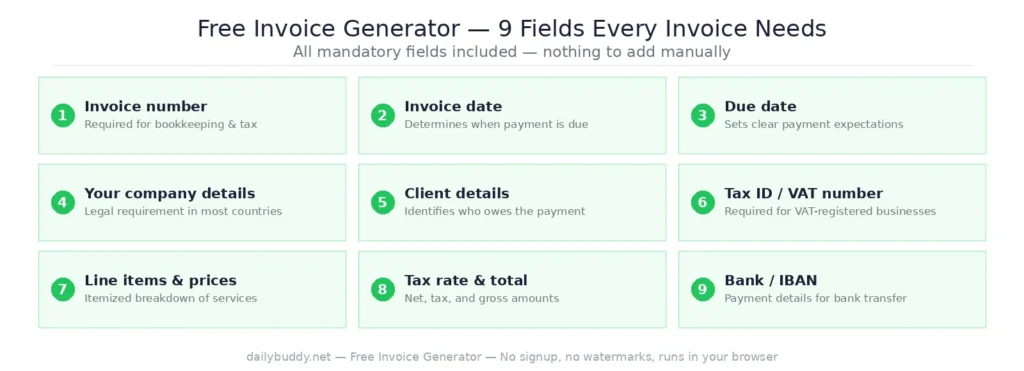
This free invoice generator includes all of these fields — nothing missing, nothing to add manually.
Who uses a free invoice generator
Freelancers — designers, developers, writers, consultants, and anyone billing by project or hour. No accounting software needed for a handful of invoices per month.
Small agencies — quick invoicing without a dedicated finance tool. Generate, download, send. Done.
Startups and side projects — before committing to billing software, a free invoice generator covers everything you need in the early stages.
Tradespeople and service providers — plumbers, electricians, coaches, photographers — anyone who delivers a service and needs a professional document to request payment.
International freelancers — the currency selector and VAT field make it straightforward to invoice clients in different countries.
Sending your invoice securely
Once you’ve downloaded your PDF invoice, you need to get it to your client. Email works — but an invoice contains your bank details, VAT number, and client data. Sending that as an unprotected attachment over regular email is a risk worth avoiding.
DailyBuddy Send lets you share your invoice via an encrypted link with an optional expiration date. The client opens the link, downloads the invoice, and the link can expire automatically. No file sitting unprotected in someone’s inbox.
If you’re managing multiple client projects, DailyBuddy Projects and Tasks keep everything organized alongside your invoicing workflow.
Frequently asked questions
Yes, completely free. No account required, no usage limits, no watermarks on the PDF.
No. Everything runs locally in your browser. Your company details, client data, and invoice content never leave your device.
Yes. The Design section includes a logo upload option that appears on your PDF invoice.
Yes. The currency selector lets you choose your preferred currency for the invoice total.
Yes. Click Add item to add as many services or products as needed. Each line item has its own description, quantity, and price.
The document title field lets you choose between Invoice, Quote, and other options — so you can use the same tool for estimates and quotes.
Yes. Enter any tax rate in percent. The tool calculates subtotal, tax amount, and total automatically.
Three layout styles are available — choose the one that fits your brand best.
Since no data ever leaves your browser, nothing is collected, stored, or processed. There is nothing to protect.