
Word & Character Counter
Count words, characters, sentences and paragraphs. Estimate reading and speaking time.
What is a word counter online — and when do you need one?
A word counter online counts words, characters, sentences, paragraphs, reading time, and speaking time in any text — instantly, as you type or paste. This tool runs entirely in your browser. No signup, no upload, no limits.
Word count matters more than most people realise. Blog posts, academic papers, social media posts, job applications, legal documents, and SEO content all have requirements or targets. Knowing your exact count — and how long it takes to read or speak — saves time and avoids surprises.
How to use this free word counter online
- Paste or type your text into the input field
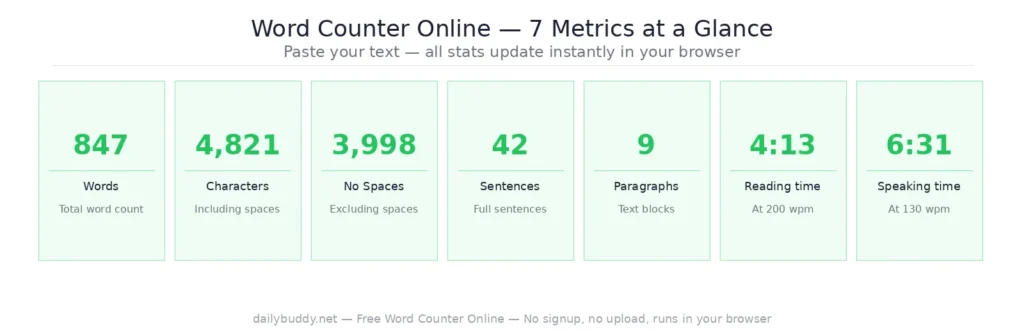
- See your stats instantly — word count, character count, sentences, paragraphs, reading time and speaking time update in real time
- Clear or copy — use the Clear button to reset the field, or copy your full text to clipboard with one click
No button to click, no waiting. Results appear as you type.
What this word counter online tracks
| Metric | What it tells you |
|---|---|
| Word count | Total number of words in your text |
| Character count | Total characters including spaces |
| Character count (no spaces) | Characters excluding spaces |
| Sentences | Number of sentences in your text |
| Paragraphs | Number of paragraphs |
| Reading time | Estimated time to read at average pace |
| Speaking time | Estimated time to speak aloud |
When to use a word counter online
Blog posts and SEO content — most SEO guides recommend a minimum of 1,000–1,500 words for long-form content. Knowing your word count while writing keeps you on track without guessing.
Social media posts — Twitter/X limits posts to 280 characters. LinkedIn articles, Instagram captions, and Threads posts all have different limits. Paste your draft and check before you post.
Academic writing — essays, dissertations, and assignments almost always have word count requirements. Track your progress as you write and avoid last-minute surprises.
Email newsletters — the average reader spends just 51 seconds on a newsletter after opening it, according to Nielsen Norman Group eyetracking research. Knowing your reading time helps you write to that reality.
Presentations and speeches — speaking time is the most underused metric. At an average pace of 130 words per minute, a 10-minute presentation needs roughly 1,300 words. Plan accordingly.
Meta titles and descriptions — Google truncates meta titles at around 60 characters and meta descriptions at around 155 characters. Check your SEO copy before it goes live.
Legal and contractual documents — many contracts, terms of service, and legal submissions have word or character limits. Verify before submitting.
Why this tool runs in your browser
Most word counters are simple tools — but some still send your text to a server for processing. That’s a problem if your text contains confidential drafts, client work, legal documents, or anything you wouldn’t want passing through someone else’s infrastructure.
This word counter online processes everything locally in your browser. Your text never leaves your device. There is no server request — you can verify this yourself by opening the network tab in your browser’s developer tools while using the tool.
It’s the same approach DailyBuddy uses for its PDF tools, the free passphrase generator, and the image compressor — no upload, no server processing, no data collection.
Sharing text documents with your team
Once your text is ready, you might need to share a draft with a client, a colleague, or an editor — without sending it as a plain text email or an unprotected attachment.
DailyBuddy Send lets you share files and messages via an encrypted link with an optional expiration date. The recipient opens it once, and it’s gone. No trace in anyone’s inbox, no data stored on US servers.
Frequently Asked Questions About the Online Word Counter
Yes, completely free. No account required, no usage limits, no ads.
No. Everything runs in your browser. Your text never leaves your device and is not stored anywhere.
Reading time is based on an average reading speed of 200–250 words per minute, which is the typical pace for adult readers consuming online content.
Speaking time is based on an average speaking pace of 130 words per minute, which is standard for presentations and public speaking.
The tool shows both — characters including spaces and characters excluding spaces — so you can use whichever metric your platform or requirement calls for.
Yes. Paste your post draft and check the character count instantly before publishing.
Since no data ever leaves your browser, nothing is collected, stored, or processed. There is nothing to protect.