
JSON Formatter & Validator
Format, validate and minify JSON. Syntax highlighting, error detection and tree view — 100% in your browser.
What is a JSON formatter online — and why do developers need one?
A JSON formatter online takes raw, unformatted, or minified JSON and turns it into readable, indented code — instantly. This tool also validates your JSON for errors and minifies it back down to a single line when needed.
Developers work with JSON constantly — API responses, config files, data exports, webhook payloads. Raw JSON from an API is often a single unbroken string. A formatter makes it readable in seconds, without opening a code editor or installing anything.
How to use this free JSON formatter online
- Paste your JSON into the input field on the left
- Choose your action:
- Format — prettifies your JSON with proper indentation and line breaks
- Minify — strips all whitespace and compresses to a single line
- Validate — checks your JSON for syntax errors and reports exactly where they are
- Set indentation — choose between 2 spaces, 4 spaces, or tab
- Switch output view — toggle between Formatted and Tree view
- Copy — copy the output to clipboard with one click
- Clear — reset both fields and start fresh
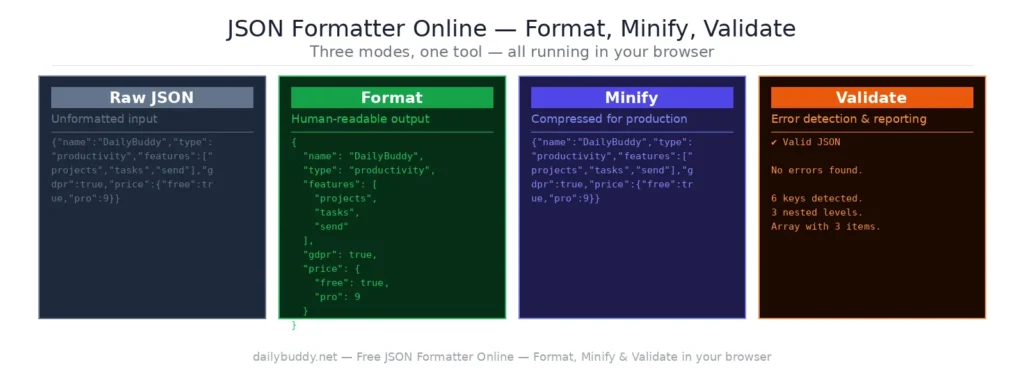
Format, Minify, Validate — what's the difference?
| Mode | What it does |
|---|---|
| Format | Adds indentation and line breaks — makes JSON human-readable |
| Minify | Removes all whitespace — reduces file size for production use |
| Validate | Checks for syntax errors and shows exactly where the problem is |
When to use a JSON formatter online
Debugging API responses — copy the raw response from your browser’s network tab or Postman, paste it in, and format it. Nested objects and arrays become instantly readable.
Working with config files — package.json, tsconfig.json, .eslintrc and similar config files are easier to read and edit when properly formatted.
Minifying for production — before shipping JSON data in a production build, minify it to reduce payload size and improve load times.
Validating before sending — a single missing comma or misplaced bracket breaks JSON completely. Validate before using it in an API call, a database insert, or a config file.
Reading webhook payloads — webhook data arrives as minified JSON. Paste it in, format it, and see exactly what fields are being sent.
Sharing readable JSON with teammates — formatted JSON in a code review or Slack message is far easier to read than a minified blob. Format first, then share via DailyBuddy Send for encrypted sharing.
Tree view vs. formatted view
The output panel offers two display modes:
Formatted view — shows your JSON as indented, syntax-highlighted code. Best for reading, copying, and editing.
Tree view — shows your JSON as a collapsible tree structure. Best for exploring deeply nested objects and arrays without getting lost in the indentation.
Why this JSON formatter online runs in your browser
Most online JSON formatters send your input to a server for processing. That means your API keys, config data, database exports, and any sensitive JSON you paste in passes through someone else’s infrastructure.
This tool processes everything locally in your browser. Your JSON never leaves your device. There is no server request when you click Format, Minify, or Validate — you can verify this yourself by opening the network tab in your browser’s developer tools.
It’s the same approach DailyBuddy uses for its PDF tools, the color palette generator, and the free QR code generator — no upload, no server processing, no data collection.
Frequently asked questions
Yes, completely free. No account required, no usage limits.
No. Everything runs locally in your browser. Your JSON never leaves your device.
2 spaces, 4 spaces, or tab — choose whichever matches your project's code style.
Format adds indentation and line breaks to make JSON readable. Minify removes all whitespace to compress JSON to its smallest possible size.
Yes. The Validate mode checks your JSON for syntax errors and tells you exactly where the problem is — missing commas, misplaced brackets, invalid values, and more.
Tree view displays your JSON as a collapsible, navigable tree structure — useful for exploring deeply nested objects without scrolling through long formatted output.
Since no data ever leaves your browser, nothing is collected, stored, or processed. There is nothing to protect.